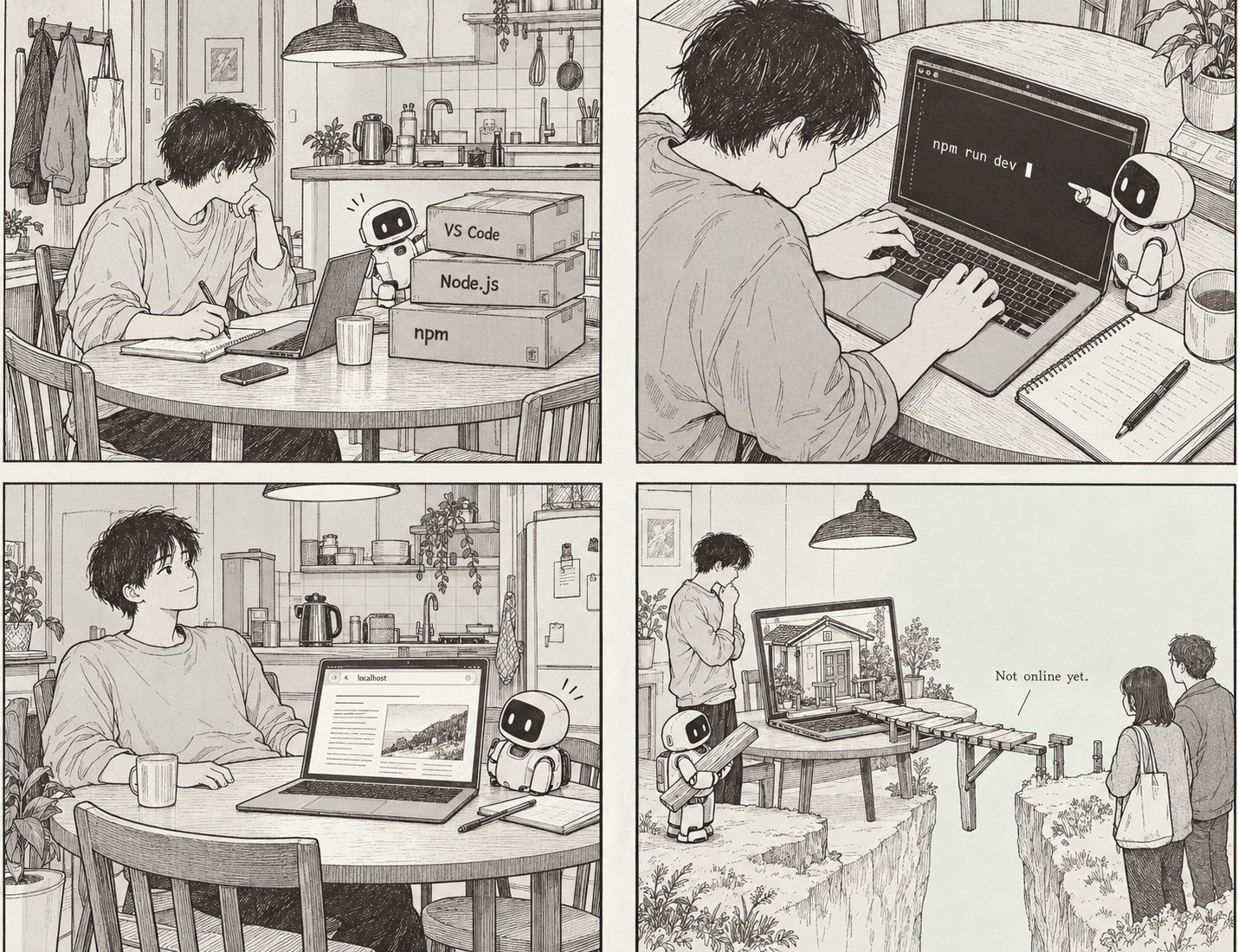
I’d decided to use Astro. I just had no idea where to start. This wasn’t like signing up for a blog and clicking “Write”. First, I had to set up somewhere on my computer to build the site. I’d only wanted to write a few things, but this was getting wildly out of hand. I just wanted to write something…
Just a few years ago, building something myself would never have crossed my mind. I knew absolutely nothing about coding. AI was the only reason I felt brave enough to give it a go. I decided to build the site with Codex (I’d started with Claude, but kept hitting usage limits and getting stuck with nothing I could do).
I didn’t want to mindlessly click through whatever Codex gave me. Whatever I’m doing, I need at least some idea of how it works before I can relax. What am I installing? Where are the files going? What needs to be running for me to see the site? Surely knowing that much would give me somewhere to start when something went wrong later.
I went looking for a writing screen and opened a code editor
First, I used a program called VS Code. Apparently, it’s a code editor. The name alone made it sound like this is not belonged to me, but once I thought about what it did, it felt a little less intimidating. Just as you open a Word document in Word, you need somewhere to open and edit the files that make a website. VS Code was that workbench.
But an editor wasn’t enough. I needed Node.js too. Another name I’d never heard of. As I understood it, Node.js lets Astro run on my computer. npm, which comes with it, fetches and manages the software the project needs.
I hadn’t even seen the site yet, and already there were several names to keep track of. By the time I worked out what each one meant, I felt I might forget why I’d started. Still, I began to see that they weren’t all doing the same thing. There was somewhere to edit the files, and there were tools that could run software using those files.
Then I used the terminal inside VS Code. A terminal is a window where you tell the computer what to do by typing instructions instead of pressing buttons. The commands looked almost like spells. I felt I couldn’t afford to get a single letter wrong.
This grand “project” was a folder full of files
The word “project” kept coming up as I built the site. It sounded as though I’d embarked on some major software development venture. What I could actually see on my computer was a folder full of files. My writing, images, code for the page layouts, and settings for how the site worked all lived in there.
That was quite an important discovery for me. If I wanted to change a sentence on the page, I had to change the file that supplied it. When the AI edited my website, it was changing files inside my project.
I didn’t understand what every file did. But “the AI is building me a website” was starting to mean something a little more concrete. The ingredients were now on my computer. Next, I wanted to see what they looked like on a screen.
The website opened. But only I could see it
Once the development server was running, I could see the site in my browser. The word “server” tends to make you picture big computers humming away somewhere. In this case, it was a program running on my own computer, showing me the site while I worked on it.
The address I was looking at was localhost. It means “this computer”. Just because it looked like a web address didn’t mean I could send it to someone else. On a friend’s computer, localhost would mean their computer. It wouldn’t lead them to my site.
I could see the website, but I hadn’t published it on the internet. I was still building and checking it on my own computer.
I also came to understand something else: I didn’t have to recreate the site’s design every time I wrote a new post.
My site stores articles as Markdown or MDX files. Markdown lets you mark things like headings and lists using simple symbols. MDX also lets you include components that appear on the page, but I didn’t need to understand all of that straight away.
Astro takes the writing stored in those files and displays it using the layouts already in place. Writing a new article doesn’t mean designing a new page from scratch.
These days, I also use an editing interface called Pages CMS. When I edit an article there, it’s saved to GitHub. I’ll get to that later. For now, it was a relief to know that writing a post wouldn’t mean poking around in the code for the entire site every time.
How the screen I was working on would reach a reader
Seeing the website on my computer made it feel as though I was nearly there. But there was still more to do before anyone else could see it.
Turning the writing and layout files into pages ready to publish is called a build. On my site, Astro does that job. It takes the materials I’ve been working with and produces something a browser can display.
Checking that finished result on my own computer is still just a preview. To make it public, I have to put it somewhere people can access. That’s called ‘deployment’.
My site now keeps its files and change history on GitHub. Cloudflare takes them from there, builds the site, and makes it available online. Readers visit ifitallends.com.
There was still far more I didn’t understand than I did. But what had looked like one big, confusing task was beginning to separate into things I could recognise. Edit the files. Check them on screen. Turn them into something ready to publish. Put that online.
And yet I was oddly pleased with myself. Even the fact that I’d started felt a little surprising.
Next time: how the site that only I could see became somewhere other people could visit, with the help of GitHub and Cloudflare.
Comments
Sign in with Google to leave a comment.
Loading comments…
No comments yet. You can start the conversation.